Meeting prep and follow-up
A meeting has three things, prep before, transcript during, follow-up after. WealthY suggests each one; you edit; the client gets a recap.
Every meeting in WealthY has three parts, and the page shows exactly three controls, one per part. WealthY writes the first draft of each. You change what you want. Saving produces a branded PDF and a link for the client.
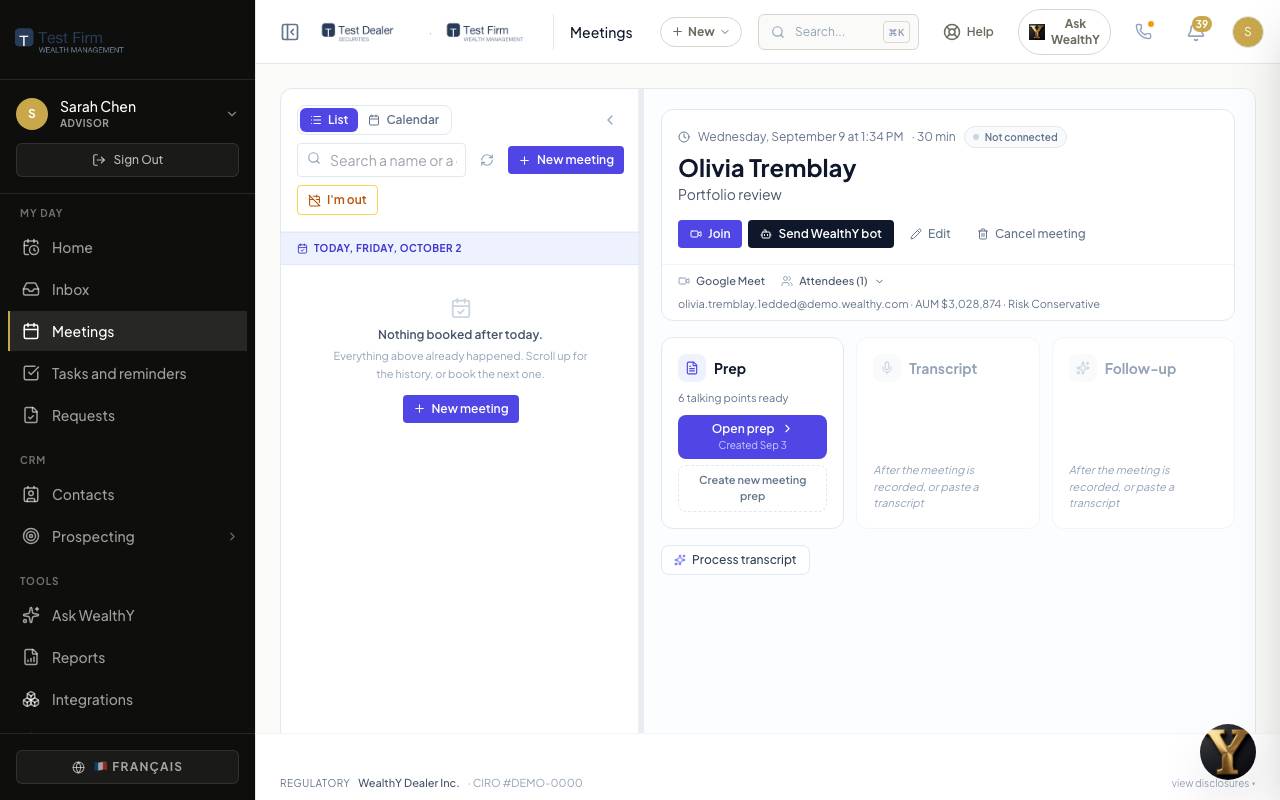
Where meetings come from
- Your connected calendar (Google or Microsoft). Events with a client attendee become meetings on their own.
- Your booking page, where a client or prospect picks a time.
- New meeting on the Meetings page, or Schedule a meeting from a client record or from Ask WealthY. Invitations go out with a calendar file; replies (accepted, declined, tentative) are read and shown on the meeting.
Prep
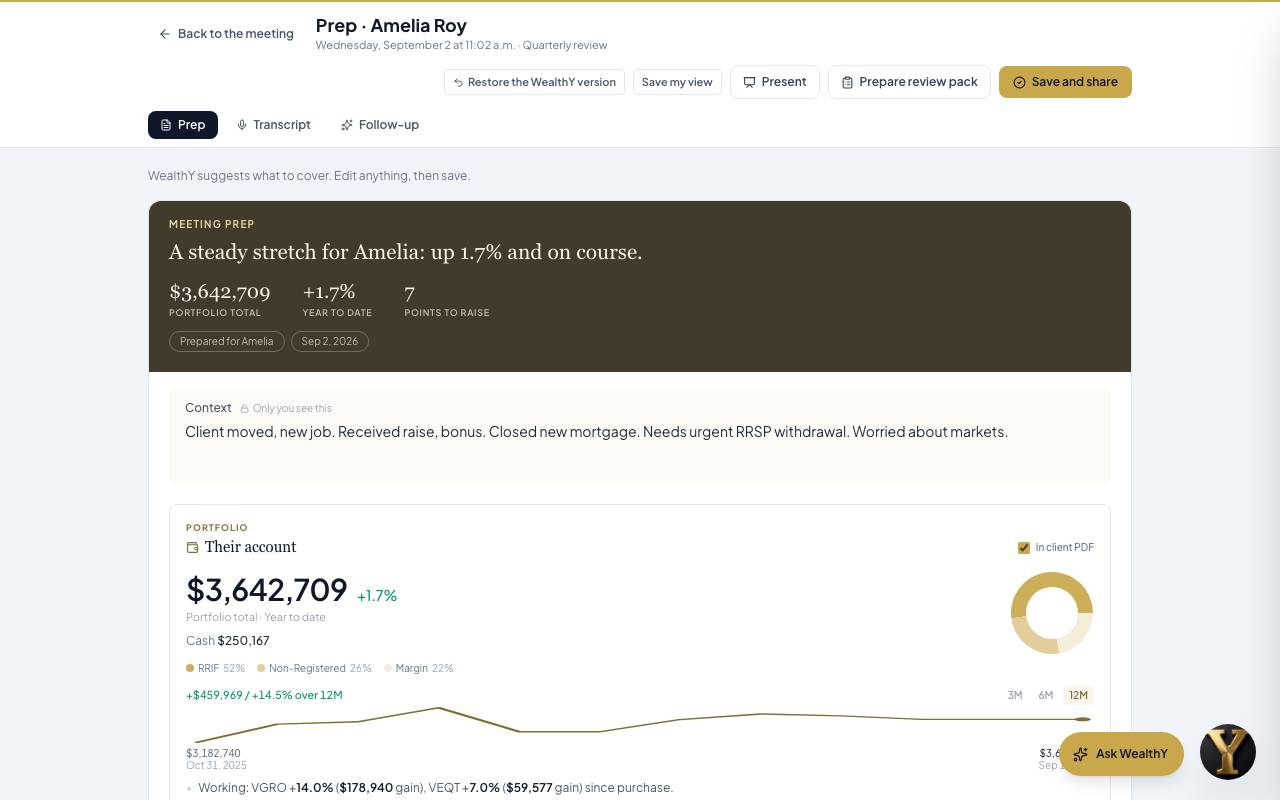
What to cover, suggested by WealthY from the client's record, then curated by you.
- The money first: household value, then each account, then holdings and performance, with a timeframe you can change.
- Last time: every promise made at the previous meeting, done or not done, with the date it was promised.
- This time: talking points, proposals and the agenda. Each one opens to a line of reasoning and the data behind it.
- The client's questions, pulled from what they asked in the portal and in Ask WealthY.
- KYC and plan updates, then a quiet Still to do section at the end.
Prep for tomorrow's meetings is generated overnight. You get a notification and a morning digest with one line per meeting. Open the prep, change anything, and the change is yours: the original is always restorable. A regenerated prep says what changed since the last one.
Edit by asking. The Ask WealthY box on the prep takes instructions in plain words ("add a talking point about her TFSA room") and applies them. Measured figures cannot be edited this way.
Present. One click turns the prep into a full-screen deck for walking through with the client, in the meeting's own order, without the advisor-only notes. Ask WealthY answers in present mode too, and the answers can go to the recap.
Transcript
Three ways to get one:
- Send WealthY bot on the meeting card. The recorder joins the video call, records, and the transcript arrives when the call ends (Pro and up; hours pooled across the firm).
- Zoom or Teams, when the firm has turned them on. Recordings come across on their own and land on the meeting they belong to, with the same follow-up as the bot. When WealthY cannot tell which meeting a recording was, you get a notice to paste it there.
- Paste: any transcript from any tool. Click Transcript, paste, done. Works on every plan.
Processing says what it is doing while it works, retries on its own, and never leaves you with a spinner and no answer.
Follow-up
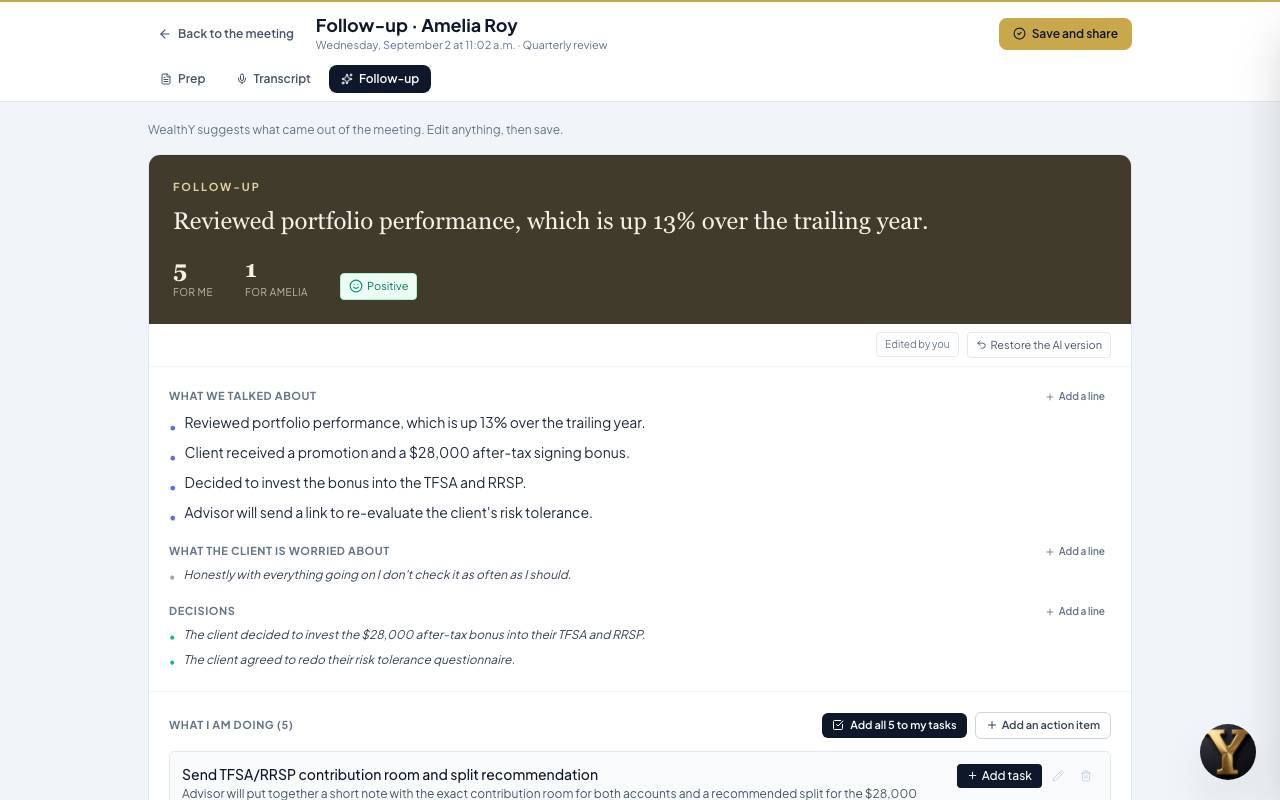
Built from the transcript, in four pieces:
- Recap: what was discussed and decided, in plain words for the client, with the promise ledger updated.
- My to-dos: action items for you, already tasks.
- Client to-dos: things the client agreed to do. Opening the follow-up puts them on the client's To do list in the portal, with dates.
- Send: the branded PDF and the recap link. The recap page shows the client their numbers as charts, the promises on both sides, and a what-if slider; you can see when they opened it.
Meeting notes and templates
A meeting note can start from a firm template (annual review, first meeting, insurance review) so the headings are already there. Templates are managed by the firm owner under Operations.
Booking
Every advisor has a booking page at a link like wealthy.to/book/your-name. Set your availability and meeting types under Prospecting > Lead capture; embed the page on your website; prospects who book land in your pipeline with the meeting already on the calendar.