Requests and dealer paperwork
Account openings, transfers and money movements, filled onto the dealer's own forms from what is already on file, signed from the portal, tracked to the custodian.
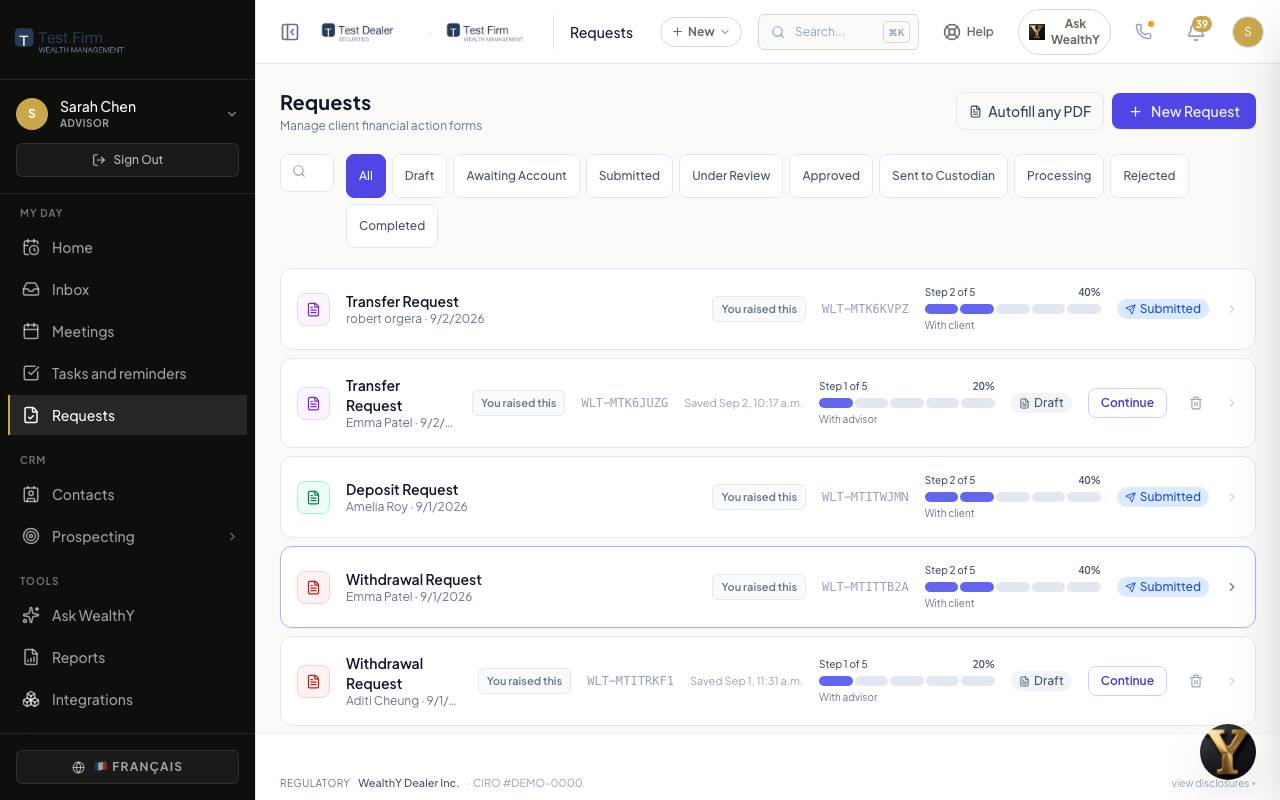
A request is one thing a client wants done: open an account, move money in or out, transfer from another institution, set up regular contributions, change a beneficiary or an address. WealthY asks the questions in plain words, fills the dealer's own PDF forms from the answers and from what is already on the client's record, collects the signature, and tracks the paperwork until the custodian confirms it.
Request types
| Type | What it produces |
|---|---|
| New account opening | The dealer's account application for each account type (RRSP, TFSA, FHSA, RESP, non-registered, RRIF, LIRA and the provincial addenda), plus the beneficiary designation where the account takes one. |
| Transfer in | The external transfer form, from a statement if one was dropped. |
| Deposit, withdrawal | The money-movement instruction against banking on file. |
| Regular contributions (PAC), regular withdrawals (SWP) | The recurring instruction and the banking form. |
| Change of beneficiary, change of address | The matching dealer form. |
| KYC review | The refresh of the know-your-client record, on its own schedule. |
The firm chooses which of these a client may start on their own, under Operations > Request settings. Advisors can start any of them.
Start one as an advisor
- Requests > New request, or New on a client record. Pick the client and the type.
- The wizard is already filled: name, address, identity, employment, banking, from the KYC record. You fill what is missing. Fields that came from the record say so.
- Pick the account the request is about. A money movement can only name an account the client actually holds, and a withdrawal goes to the bank account on file.
- Prepare for the client, or submit it yourself. Prepared requests appear on the client's To do with a date and a Review and sign button.
What the client does
They open the request from their To do or from the email, read the plain-language summary, check the answers, and sign on the screen. Several forms for one event (an opening plus a beneficiary designation plus a funding instruction) are one envelope and one signature session.
Reminders go out on their own to a client who has not signed.
Review, send, track
| Status | Meaning |
|---|---|
| Draft | Being filled. Nothing has gone anywhere. |
| Submitted | The client, or you, finished it. |
| Under review | Something needs an advisor's eyes before it goes out: a reason is shown. You approve, or send it back to the client for a correction with a note. |
| Approved | Ready to go to the custodian. |
| Sent to custodian | The signed paperwork went out by the route the firm set for that request type. |
| Processing | The custodian confirmed receipt. |
| Awaiting account | A funding instruction held until the new account exists; it releases on its own. |
| Completed, Rejected | Done, or refused with the reason on the record. |
Every status change is on the request's history with who did it and when.
The dealer's paperwork
- The forms are the dealer's own PDFs, kept in the Form library by the dealer administrator, one row per form and account type, with the signature positions marked on the page.
- WealthY fills them from the request, the KYC record, the account and the advisor's rep code. Nothing is retyped.
- A social insurance number is typed at the moment of filling, written into the PDF, and never stored on the record or in a log. Only the last four digits are kept.
- When a document is dropped (a statement, a void cheque, an ID), WealthY reads it and prefills from it, masking account numbers to the last four.
Where things go
The firm sets, per request type, where the signed paperwork is delivered under Settings > Custodian routing. The daily custodian feed closes the loop: when the account or the transaction appears in the feed, the request moves on its own.
For the firm owner
- Operations > All requests shows every request at the firm, filterable by advisor, type and status.
- Operations > Request settings decides which types clients may start.
- The compliance report under Operations pulls the request record, signatures and KYC state for a period into one document.