Questionnaires
Ask a client anything before a meeting or a review, in their own words, and accept the answers onto the record one row at a time.
A questionnaire is a saved list of questions the firm owns. An advisor sends it to a client from the record; the client answers on a private link, on their phone; the answers come back beside what is already on file, and the advisor ticks the ones to keep. Nothing lands on the record without a tick.
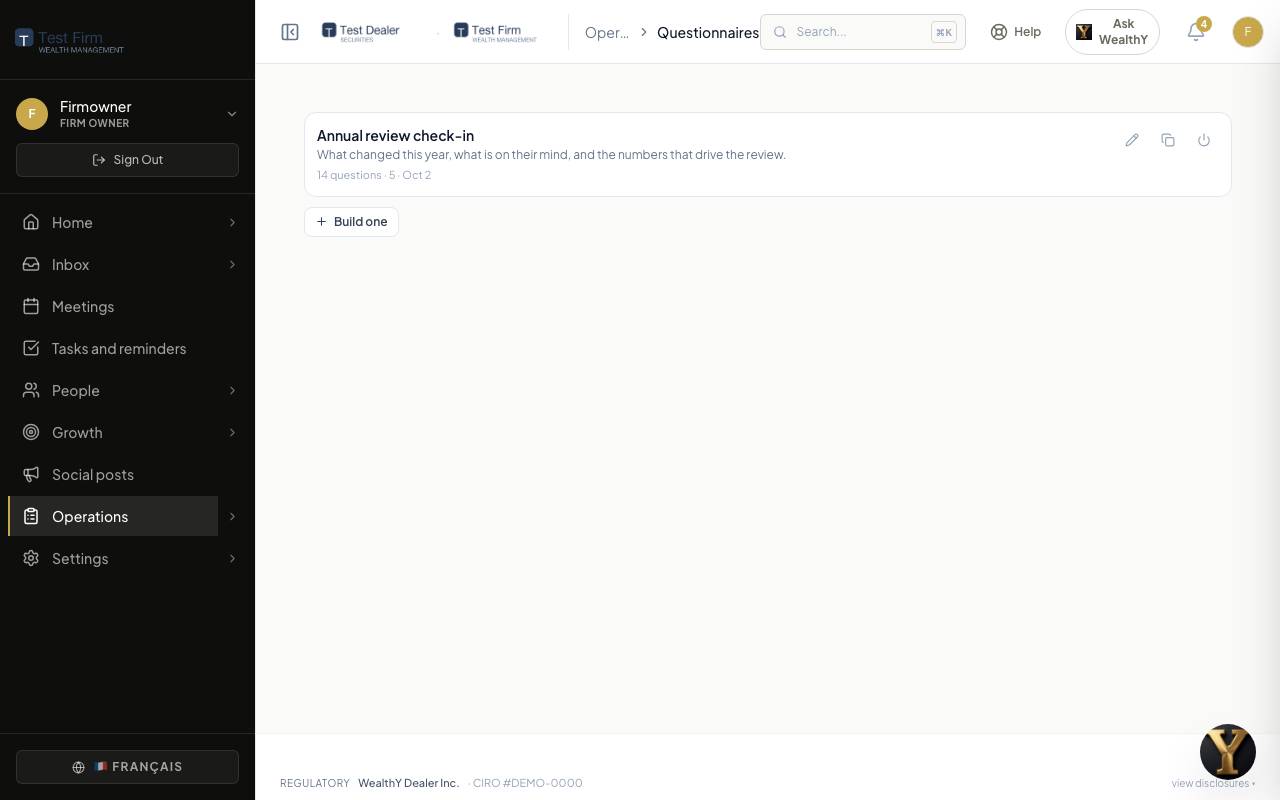
Build one
Operations > Questionnaires for the firm owner, or Build one from the send dialog on any client record. Four ways to start so nobody faces a blank page:
- A ready questionnaire: Annual review check-in, Confirm your information, Risk and goals review, New client welcome.
- Your KYC questions: lift a whole section, every question already pointed at the field it came from.
- A PDF you already use: a fillable PDF is read for its field names, which become questions, matched to record fields where the names line up.
- Blank.
A question is wording in English and in French, an answer type, whether it must be answered, and Put the answer on: the client field the answer may be accepted onto, or Nowhere, keep it as a note. Sections group questions. Preview shows exactly what the client sees. A questionnaire can be duplicated or turned off; turned-off ones stay for the record.
Send one
- Open the client record, Financial plan > KYC. The Questionnaires card is there, with every send so far and where it got to.
- Send a questionnaire, pick one. Email the link now is on when the client has an email; turn it off to copy the link and send it your own way.
- Send to the client. The email goes out on the firm's letterhead with your address as reply-to. The questions are snapshotted as asked, so a later edit to the questionnaire never changes what this client was asked.
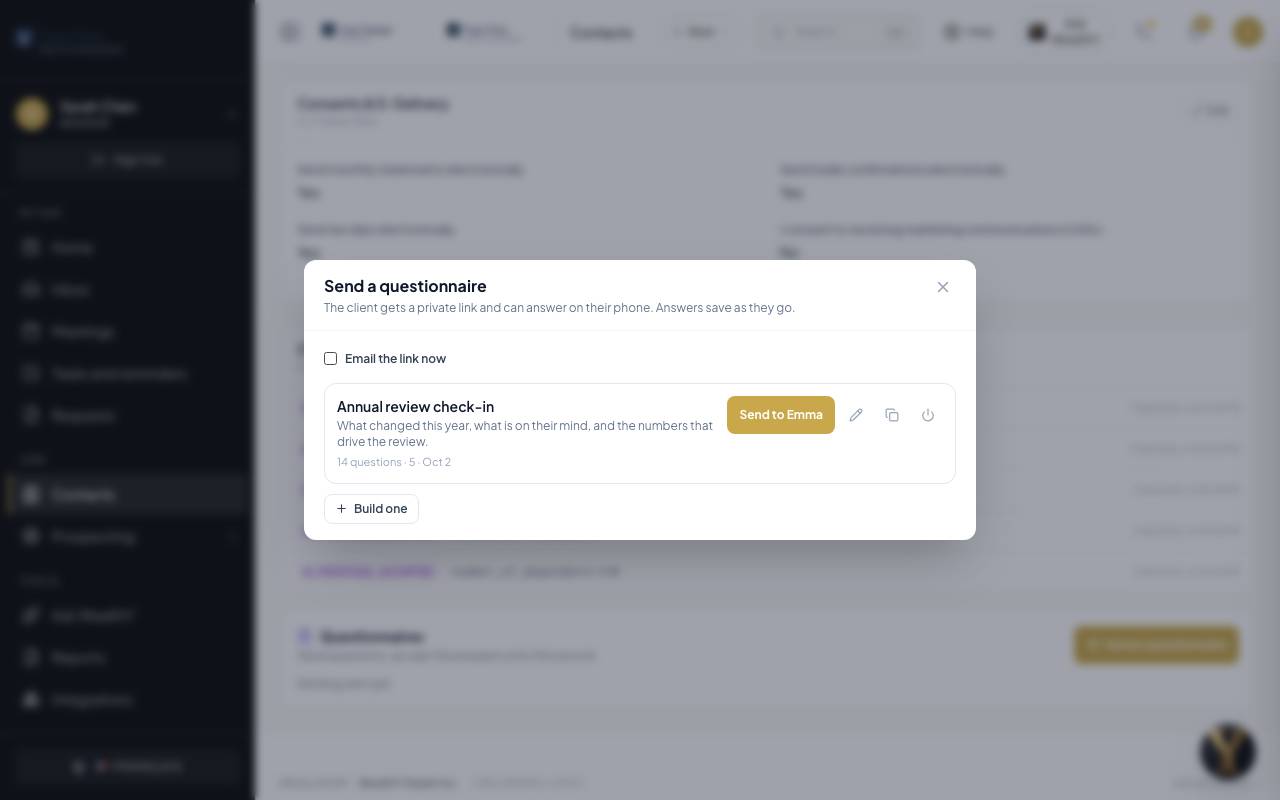
The card shows each send as Sent, Opened, Answered or Accepted, with how many questions are answered so far, Send again and Copy link.
What the client sees
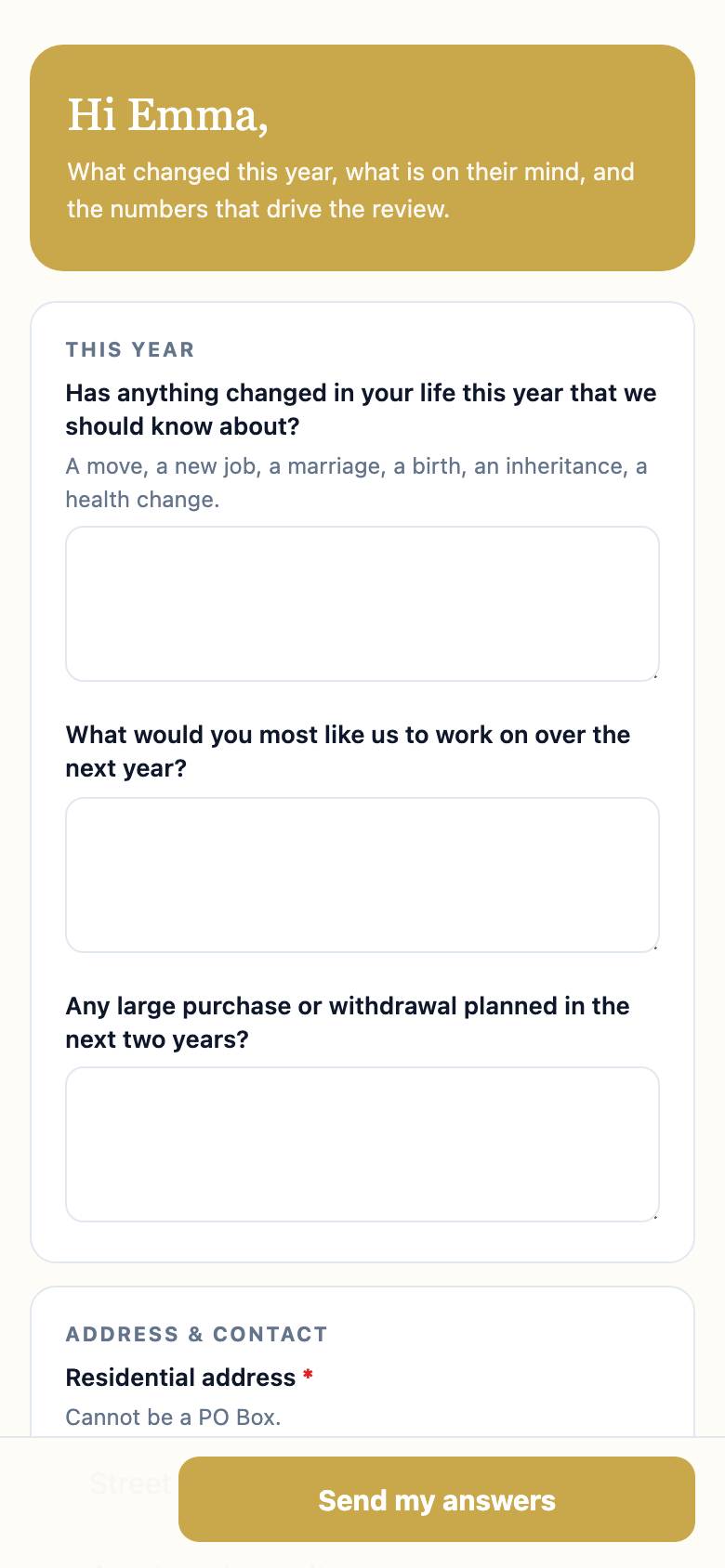
- A private link, no login needed, in the firm's colours. The same questionnaire also appears on their To do in the portal, and they can start on the phone from the email and finish in the portal without losing an answer.
- Each question renders with the same control the product uses everywhere: a date picker, a dollar box, a list, an address.
- Answers save as they go. A document question accepts PDF, JPG or PNG up to 8 MB each.
- Send my answers when done. Required questions are checked first.
Accept the answers
Review answers on the card opens the accept table.
| Column | Meaning |
|---|---|
| Question | As it was asked. |
| On file | The value on the client's record right now. |
| They sent | What the client answered. |
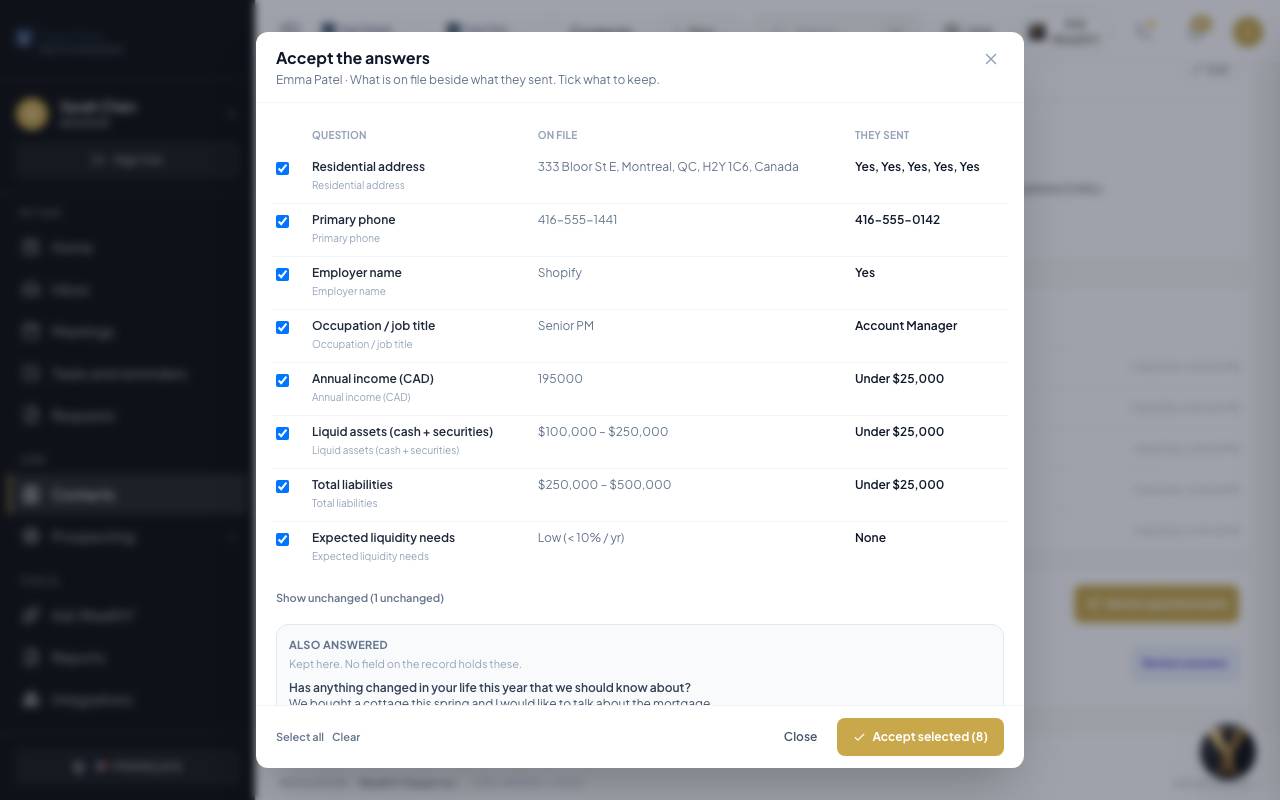
- Rows that match what is on file are collapsed under n unchanged. There is nothing to decide about them.
- Tick the rows to keep, then Accept selected. Only ticked rows are written, and the record shows who accepted what and when.
- Also answered lists answers that have no field on the record (a free-text question, a note). They are kept with the response so nothing the client wrote disappears.
- Attachments are listed and open in place.
Every target is re-checked on the server before a value reaches the record, so a questionnaire can never write somewhere it should not.
What questionnaires are not for
A social insurance number or an account number is never a questionnaire question. Those are typed at the moment paperwork is filled, inside Requests, and never stored.