Getting started for clients
The first hour as a client, in plain words: the invitation, your Home, your To do list, signing a request, booking a meeting.
Your advisor's firm has invited you to its client portal. This is where you see your accounts, do the things your advisor is waiting on, and reach your advisor. It works on your phone and on a computer.
Sign in
- Open the email from your advisor's firm and click the link.
- Choose a password.
- You are in. Next time, go to wealthy.to and click Sign in.
Forgot your password? Click Forgot password on the sign-in page and follow the email. To switch to French, use the language button in the menu.
Home
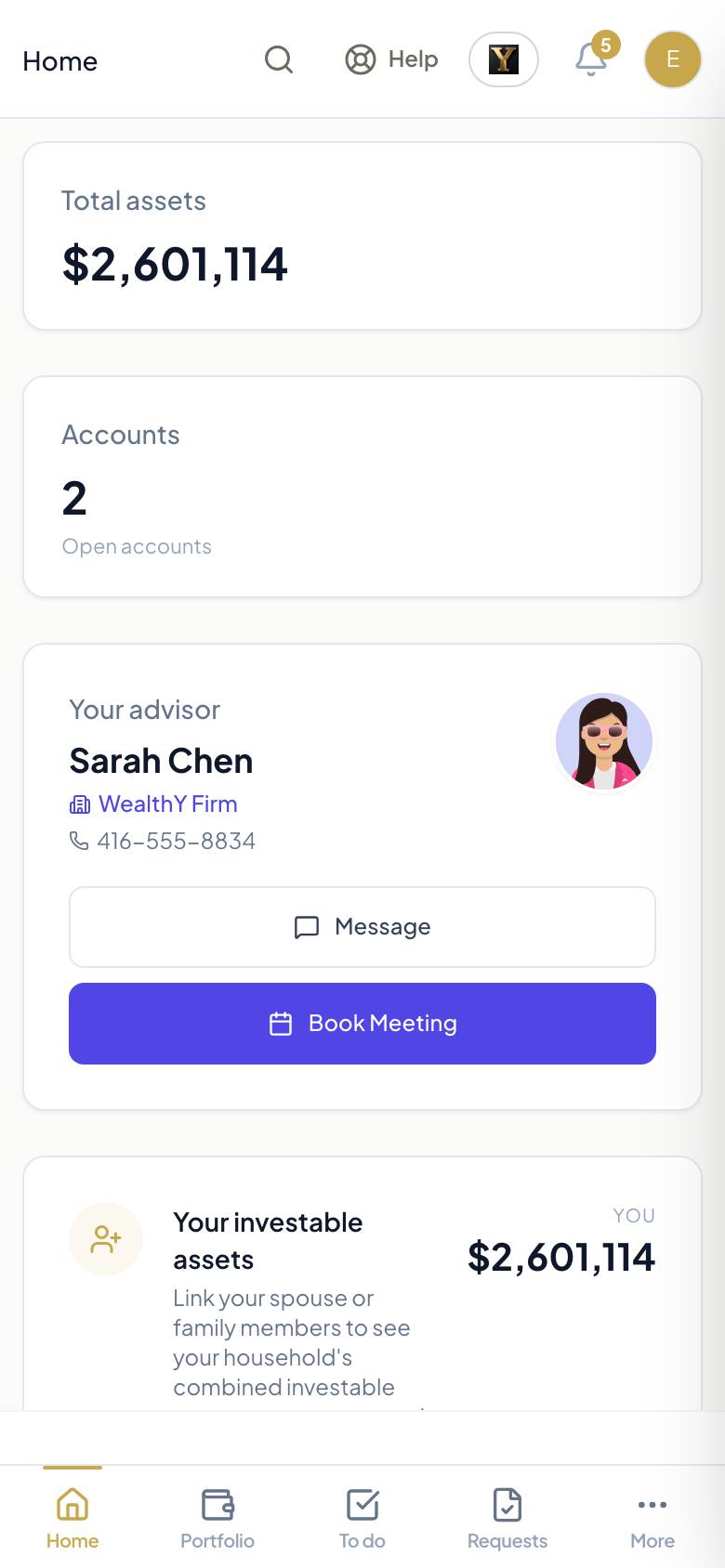
- Total assets and your accounts.
- Your advisor, with Message and Book meeting.
- Your value over time and how it is invested, when your firm shares that data.
- If your advisor needs something from you, a card at the top says what.
To do
The To do tab is the list of what your advisor is waiting on from you. Each line has a date and one button.
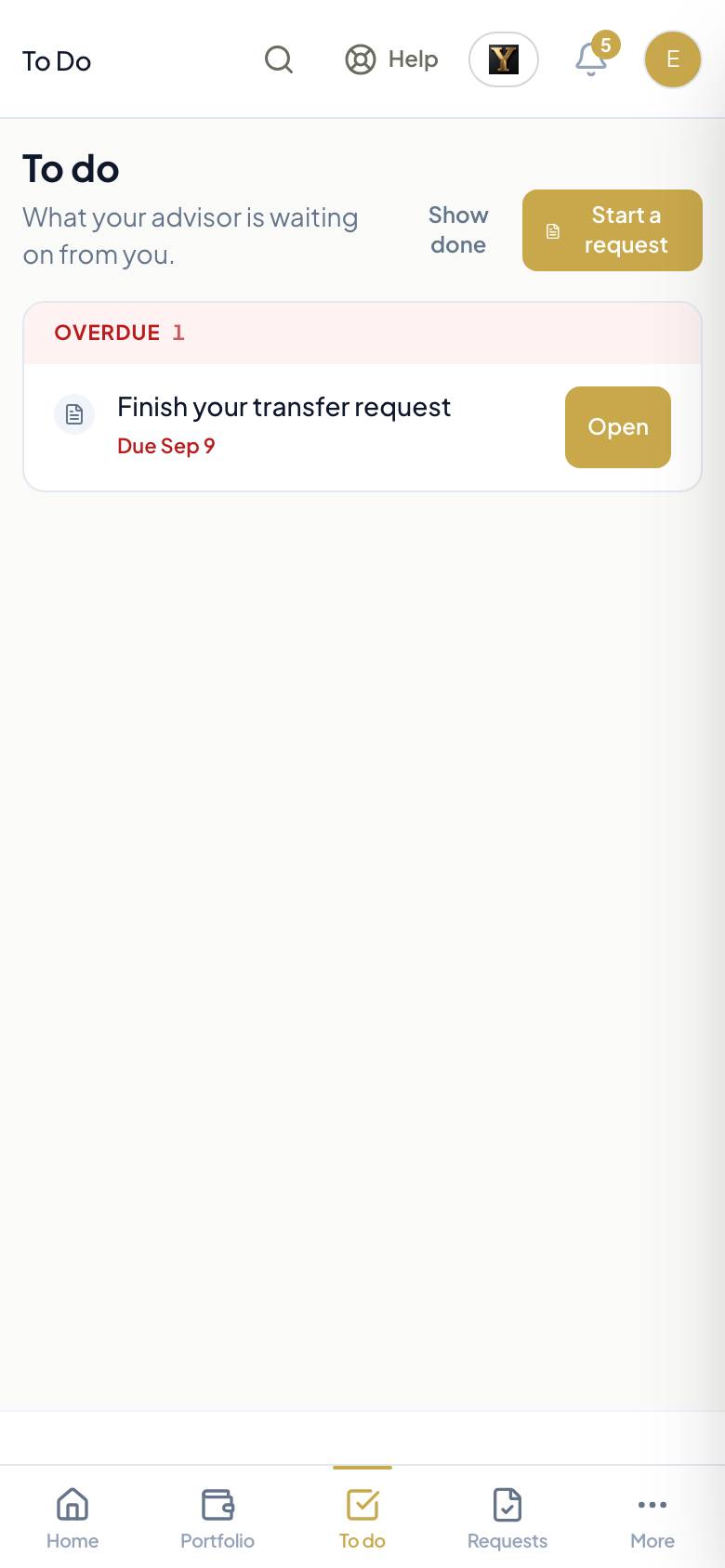
- Confirm your information: check your details, a few questions at a time. Your answers save as you go.
- Review and sign: a request your advisor prepared, such as opening an account. Read the summary, check the answers, sign on the screen.
- Answer: a short questionnaire before a meeting.
- Book a time: pick a meeting slot.
- Tick a task when it is done.
Requests
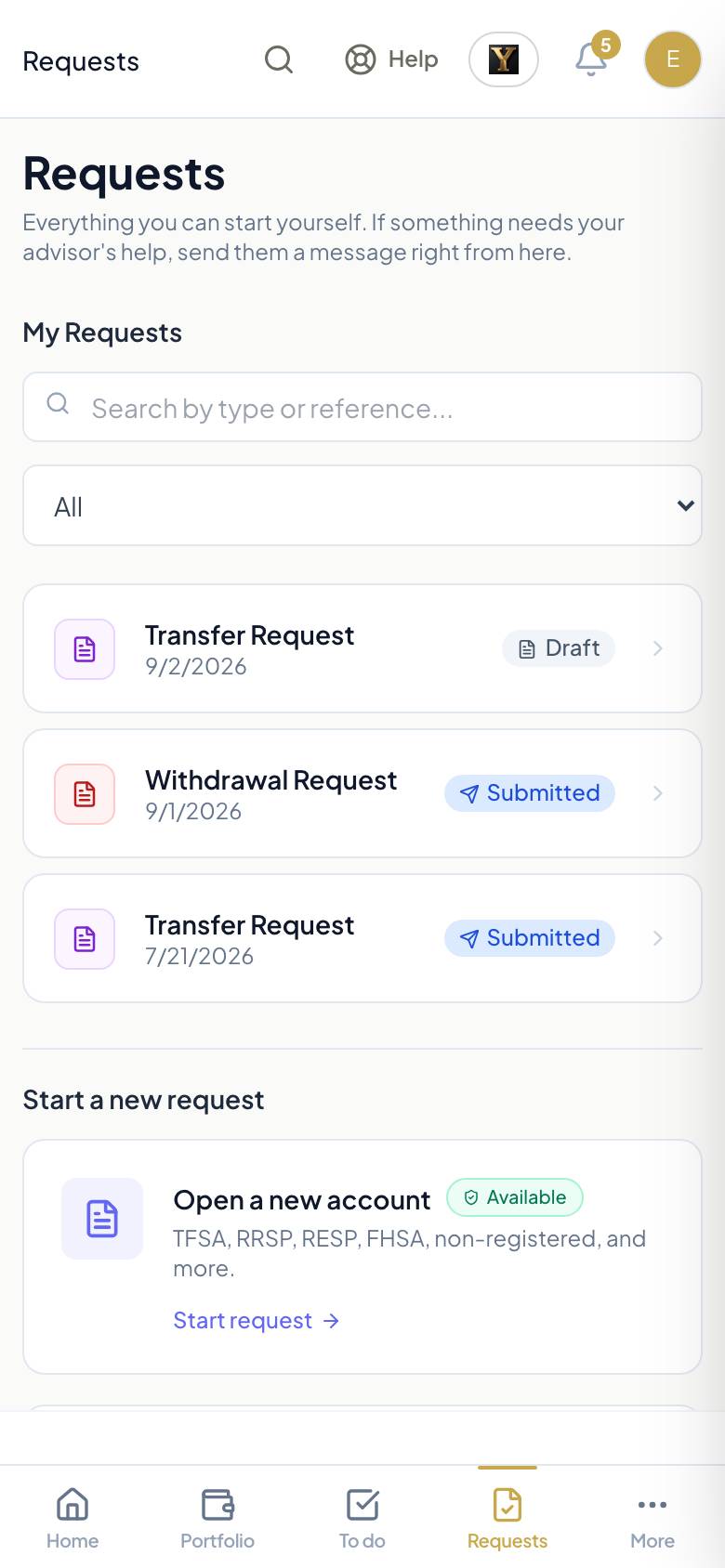
Start a request to open an account, move money, transfer from another institution, set up regular contributions, or change your address or beneficiary. You answer plain questions; the forms are filled for you; you sign once. Each request shows where it is until it is done.
Documents and messages
- Documents: statements, signed forms and anything your advisor shares.
- Messages: a secure conversation with your advisor, kept here rather than in email.
Ask WealthY
The Ask WealthY button answers questions about your own accounts: "What is in my TFSA?", "What is still open?", "When is my next meeting?". It only sees your information, never anyone else's.
Settings
Your profile, your language, your password, two-step sign-in with an authenticator app, and the bank account on file for deposits and withdrawals, shown as the last digits only.
Help
The Help button on every screen sends a question or reports a problem. Your advisor sees anything you send through Messages.