Getting started for advisors
The first hour as an advisor, with screenshots: sign in, connect your mailbox, meet your Home, open a client, run your first meeting.
Your firm owner has invited you. This page is the first hour: one connection, one look around, one client, one meeting. After that the product works the way you already work.
Sign in
Open the invitation email, choose a password, sign in at wealthy.to/login. The language switch is at the bottom of the sidebar.
Home
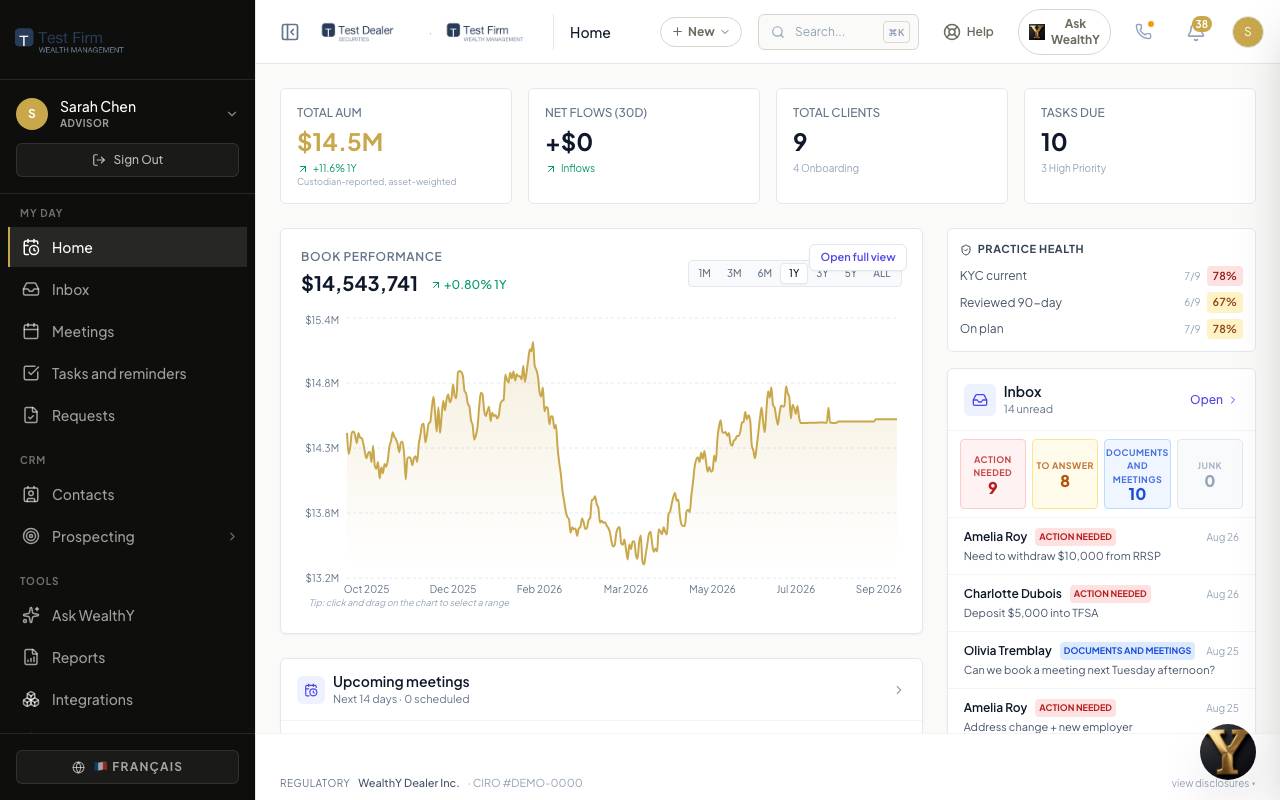
- The numbers: assets, net flows, clients, tasks due.
- Book performance over the period you pick.
- Upcoming meetings for the next two weeks, each with its prep status.
- Practice health: KYC current, reviewed in the last 90 days, on plan.
- Inbox at a glance: what needs action, what needs an answer.
- Next best action: the client who needs you today and why (a review due, a birthday, never contacted, cash sitting idle).
The sidebar: Home, Inbox, Meetings, Tasks and reminders, Requests under My day; Contacts, Prospecting under CRM; Ask WealthY, Reports, Integrations, Settings under Tools.
Connect your mailbox
Integrations in the sidebar, then Connect on Gmail or Outlook. Sign in with your work account. WealthY asks for mail and calendar only.
What you get: your inbox sorted by what needs you with replies drafted, your calendar in Meetings, and meetings placed on your calendar when a client books. Details on the Inbox page.
Open a client
Contacts, then a name.
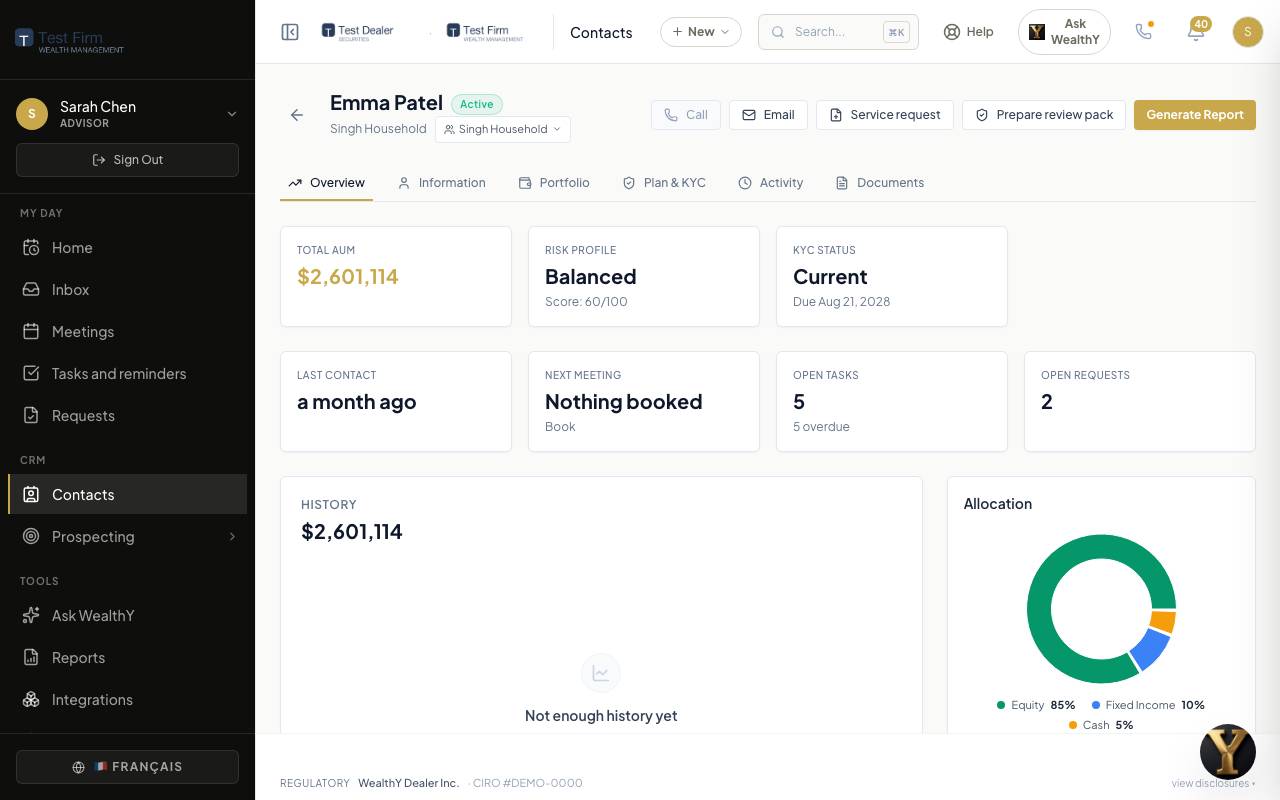
- Overview: the value over time, allocation, when you last spoke, engagement signals.
- Information: contact details and household.
- Portfolio: accounts, holdings, performance, insurance.
- Financial plan: goals, the KYC record, the review pack, questionnaires.
- Activity: every email, call, meeting and note on one timeline.
If your firm imported the book, your clients are here. If not, Add client: Send invite for a quick portal invitation, or Prepare and invite to open accounts, where you fill the paperwork from what you know and the client confirms and signs.
Run your first meeting
Meetings. Your calendar events with a client attendee are already here.
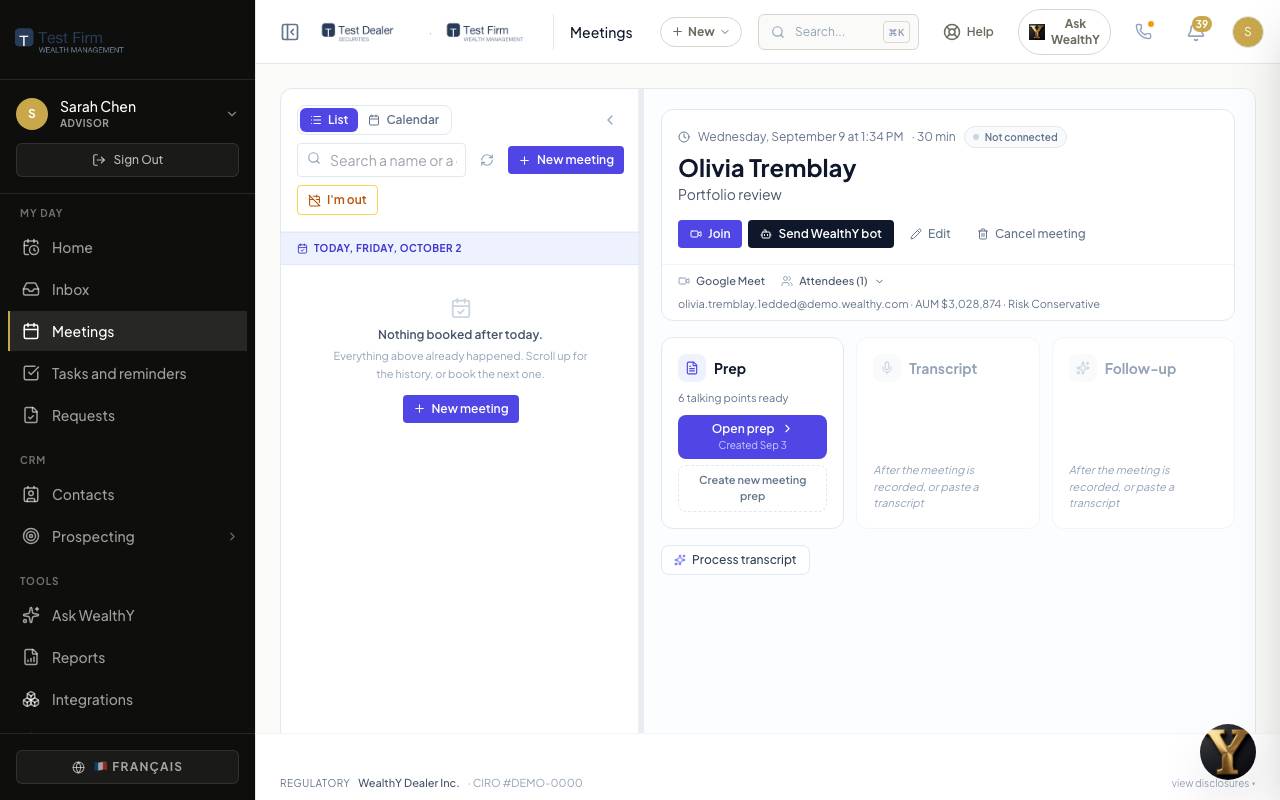
- Open prep on tomorrow's meeting. It is already written: the money first, last meeting's promises, this meeting's talking points. Change anything. Present turns it into a deck for the meeting itself.
- During the meeting, Send WealthY bot to record, or paste a transcript afterwards from any tool.
- Open follow-up when the transcript is in: the recap for the client, your to-dos, their to-dos. Send. The client gets the recap and their to-dos appear on their list.
Details on the Meetings page.
Three more things
- Tasks and reminders: every task from the inbox, the follow-ups and your own, with the one that is due on top. Process templates for the routines you repeat.
- Requests: the account openings and money movements across your book, by status. See Requests.
- Ask WealthY: "Which clients need my attention today?" See Ask WealthY.
Your booking page
Prospecting > Lead capture. Set your availability and meeting types; your page is at a link like wealthy.to/book/your-name. Put it in your signature. Bookings land on your calendar and in your pipeline.
On a phone
Sign in at wealthy.to on your phone. Home, Contacts, Inbox and Ask WealthY are on the bottom bar; the rest is under More.